Convert an Image to a URL
in Seconds.
The web's most powerful, privacy-first file utility suite. Drop your image below to instantly generate a shareable link, or select from our 41+ free tools.
41+
Pro Utilities
100%
Privacy Rating
Zero
Subscription Fees
Explore Our Tool Arsenal
Choose from 41+ specialized utilities engineered to perfect your images and links without ever leaving your browser.
Image to URL
Local Box Simulator: Generate instant blog links.
Image Compressor
Compress images up to 80% without visible quality loss.
Image to WebP
Convert images to WebP for 30% faster loading.
Image to Base64
Encode images as Base64 strings for embedding.
Base64 to Image
Decode Base64 strings back into image files.
Bulk Image Splitter
Slice a single image into a grid of smaller pieces.
Image Corner Rounder
Add rounded corners to images with transparency.
Image to ICO
Create high-quality favicons and app icons.
Pencil Sketch Effect
Transform photos into pencil sketch artwork.
Image to Blur
Apply artistic Gaussian or motion blur effects.
Image Inverter
Invert colors for creative and technical needs.
Overlay Images
Layer multiple images with transparency control.
Add Watermark
Add custom text watermarks to protect images.
AI Photo Restoration
Fix old or damaged photos with AI logic.
AI Image Extender
Expand image boundaries intelligently.
Premium Features, Standardized.
Everything you expect from a paid SaaS product, offered fundamentally free.
Lightning Fast Conversion
Process files instantly within your browser. No queue lines, no waiting for server responses.
Bank-Grade Privacy
Your files never leave your device. We use HTML5 APIs to process your sensitive data securely.
Global Access
Accessible from anywhere in the world without geographic restrictions or ISP throttling.
Cross-Platform Compatible
Works flawlessly on Windows, Mac, iOS, and Android devices without installing apps.
100% Free Forever
No subscriptions. No watermarks. No artificial limits holding back your productivity.
Pro Settings
Advanced controls over compression rates, dimensions, and metadata stripping.
Insights & Tutorials
Master image optimization and web hosting with our expert guides.

How to Convert an Image to a URL in Seconds
Discover the fastest and most secure methods to transform your local image files into permanent, shareable web links without needing a premium hosting account.

How Slow Images Hurt Your Website Rankings
Unoptimized media files are silently destroying your Google Core Web Vitals. Learn how heavy images impact SEO and what you can do to fix it immediately.

How to Use Base64 Image Encoding in Web Development
A comprehensive developer's guide to Base64 image encoding. We explore what it is, when integrating images directly into HTML/CSS makes sense, and when it severely harms performance.

Why You Should Expand Shortened URLs Before Clicking
Shortened URLs can hide malicious destinations. Learn why expanding them first is a critical security practice and how to do it instantly.

Best Free Image Hosting Sites — Honest Comparison 2026
Looking for free image hosting with permanent links and CDN delivery? Compare the top options for web developers, bloggers, and creators.

Best Image Formats for the Web — JPG vs PNG vs WebP
Which image format should you use? A deep dive into JPG, PNG, and WebP comparing quality, file size, and browser support.

How Bulk Image Upload Tools Save Hours of Manual Work
Stop uploading images one by one. Learn how bulk upload tools streamline your workflow and save hours of repetitive manual effort.

How to Add Rounded Corners to Images Without Photoshop
Create professional-looking images with rounded corners using free online tools. No design software required.
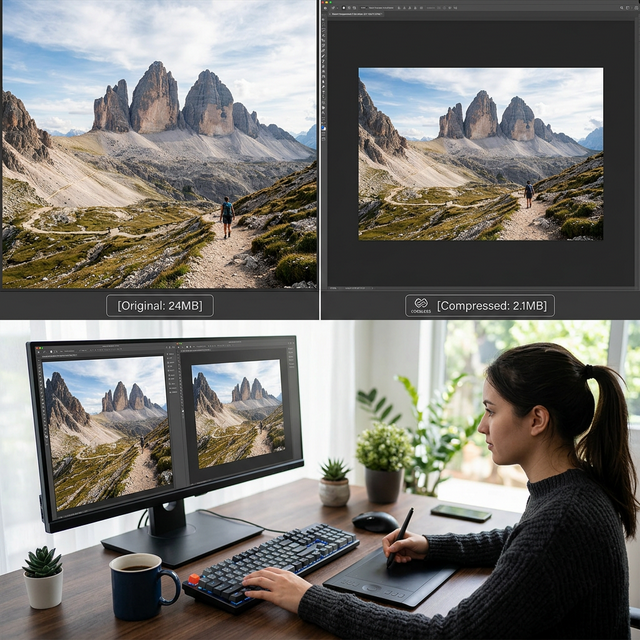
How to Compress Images Without Losing Quality
Reduce image file sizes by up to 80% while maintaining visual quality. Essential techniques for faster websites and optimized storage.
Trusted by Creative Specialists
See why professionals choose FileCast for their daily file workflows.
Liam Anderson
Full Stack Developer
"The local processing is a game-changer. I can convert massive images to Base64 instantly without ever worrying about data leaving my machine. Essential for my dev workflow."
Sofia Rossi
Creative Director
"FileCast is my secret weapon for client presentations. The PDF-to-URL feature is brilliant for showing mockups without bulky email attachments."
Marcus Thorne
Technical Lead
"Finding a free tool that doesn't sacrifice privacy is rare. The EXIF cleaner is top-notch, and the HEIC converter is the fastest I've found."
Nadia Chen
UX Designer
"I compress hundreds of screenshots weekly for documentation. FileCast cuts file sizes by 80% without any visible quality loss. My workflow is twice as fast now."
James Okafor
DevOps Engineer
"The batch URL checker saved our team from a major SEO disaster. We scanned 500 endpoints in under a minute. Absolutely indispensable."
Elena Petrova
Content Strategist
"What sets FileCast apart is zero signup and zero tracking. I recommend it to every client worried about GDPR compliance. Pure browser-based magic."
Ryan Mitchell
Mobile Developer
"Converting HEIC photos from my iPhone to PNG used to require desktop software. Now I just drag and drop in my browser. It's that simple."
Amara Diallo
Product Manager
"Our design team uses the image-to-SVG converter daily. The vector output quality rivals paid tools like Adobe Illustrator. Truly impressive."
Frequently Asked Questions
Everything you need to know about FileCast tools.
Is FileCast truly free to use?
Are my uploaded files safe?
How long do hosted file links last?
What format types are currently supported?
Trusted by 4,000+ Users Worldwide
The web's most powerful, privacy-first file utility suite. Drop your image below to instantly generate a shareable link, or select from our 41+ free tools.
Why Client-Side Processing Matters
Secure by design. Your files never touch our servers.
Modern web technology allows FileCast to process image datasets, PDF conversions, and video streams directly within your browser's V8 engine. This 'Zero-Knowledge' architecture ensures that sensitive data, proprietary graphics, and private credentials remain strictly on your local device.
⚡ Lightning Fast Conversion
Process files instantly within your browser. No queue lines, no waiting for server responses.
🎨 Pro Settings
Advanced controls over compression rates, dimensions, and metadata stripping.
The 'Image to URL' Revolution
Traditional image hosting is slow and requires account management. Use FileCast to simulate local box hosting for your next development project or rapid UI prototyping session.
Trusted by 4,000+ professionals worldwide